View menu
The View menu shows or hides the workspace panels and controls the Align panel. A check mark next to a panel means it is currently visible.
Basic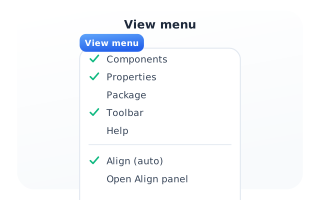
Panel toggles
Toggle the Components, Properties, Package, Toolbar and Help panels on or off - a check shows which are open. 'Align (auto)' controls whether the Align panel appears automatically when you select two or more components, and 'Open Align panel' pins it open even with fewer selected.