Project menu
The Project menu manages the whole project file. From here you create a new project, open an existing one, save or save the current one under a new name, reopen a recent project, and edit the project's properties.
Basic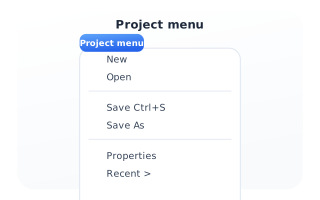
Menu options
New starts an empty project; Open loads a saved one. Save (Ctrl/Cmd+S) writes the current project, and Save As stores a copy under a new name. Recent lists the last projects you opened, and Properties opens the project's metadata (description, notes, URL, keys).