What a subcircuit is
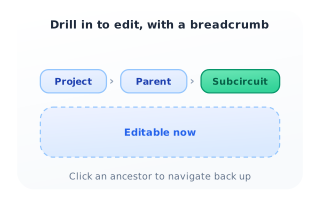
A subcircuit is a circuit instantiated inside another circuit, the way a component is placed on the canvas. It is stored exclusively under its parent and never appears in the main circuit list; you reach it through the down (↓) dropdown on the parent's tab. Opening a subcircuit drills into it as the active, editable circuit, with a breadcrumb Project › Parent › Subcircuit so you always know where you are and can click any ancestor to return.
Instantiated inside a parent
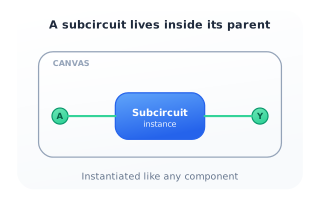
Drop a subcircuit onto the canvas and it behaves like any other component: it has input and output terminals you can wire to. The block you see is an instance of a full circuit that lives one level down, encapsulated behind its terminals.
Hidden from the main list
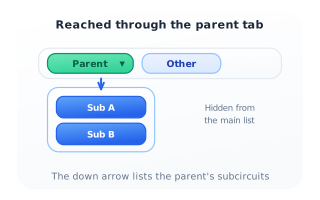
Subcircuits do not clutter the circuit bar. A parent that owns subcircuits shows a down arrow (↓) on its tab; clicking it opens a dropdown listing only that parent's children. Each child belongs to exactly one parent and is stored under it.
Drill in and edit
Selecting a child from the dropdown makes it the active, editable circuit. The title bar shows the breadcrumb Project › Parent › Subcircuit; clicking Parent or Project navigates back up. While you edit a subcircuit, the Insert command is disabled — see the insertion rules for why.