Align vertical centers
Lines up the selected components on a shared horizontal axis so their vertical centers match, without changing their horizontal positions.
Basic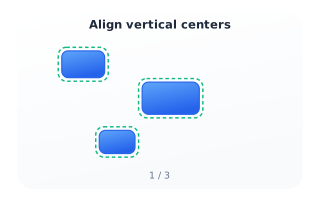
Step 1 - Select
Select two or more components on the canvas - drag a selection box around them or Shift-click each one. Once two are selected the Align panel appears (or open it from the View menu).
Intermediate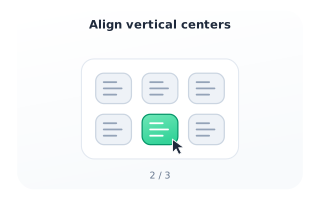
Step 2 - Invoke
In the Align panel, click the “Align vertical centers” button. You can also right-click that button and choose “Show help” to reach this article.
Advanced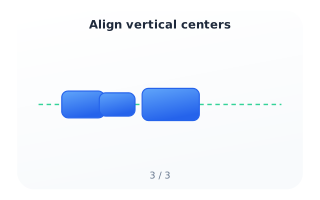
Step 3 - Result
The components shift vertically until their centers sit on one horizontal axis (green guide). Horizontal positions stay put.